Maus
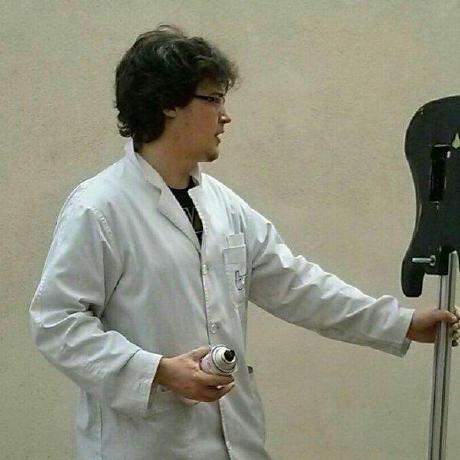
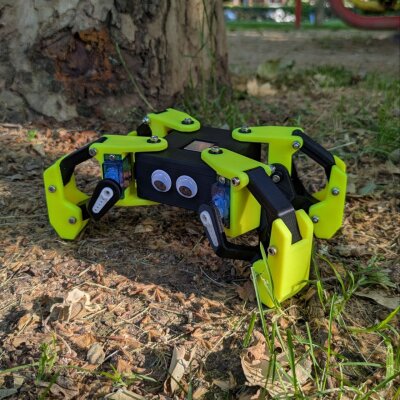
Maus is a five-degree-of-freedom biped robot I built as a test platform for my master’s thesis on oscillator-based locomotion for legged robots, at Universidad Carlos III de Madrid in 2016. The design of Maus legs is based on the PLM (Parallel Leg Mechanism) configuration.
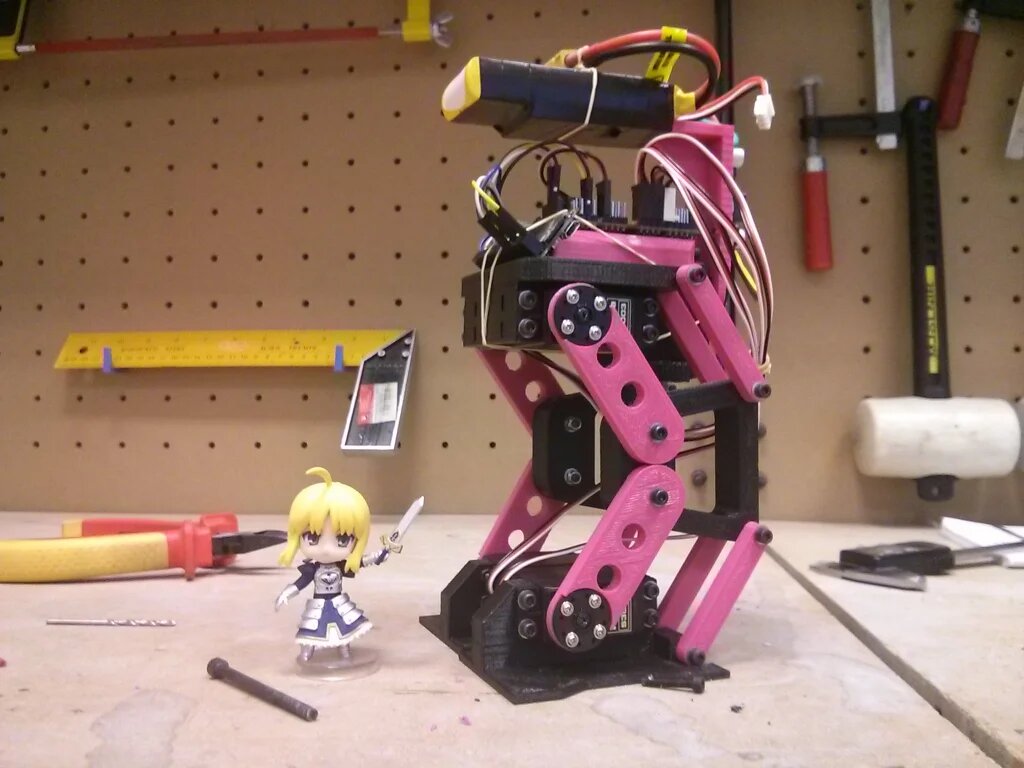
PLM is a mechanism commonly used in biped robots. The difference between a PLM leg and a standard leg lies in the use of articulated parallelograms instead of simple segments. This setup is used in two main cases: when you want to keep the orientation between two link ends constant, and when you want to include redundant actuators to increase force output. In Maus, each leg has two joints, and the parallelograms keep the foot parallel to the body all the time. From the point of view of the kinematics, though, it behaves like a simple two-segment leg, which is the model I used to design the gait:
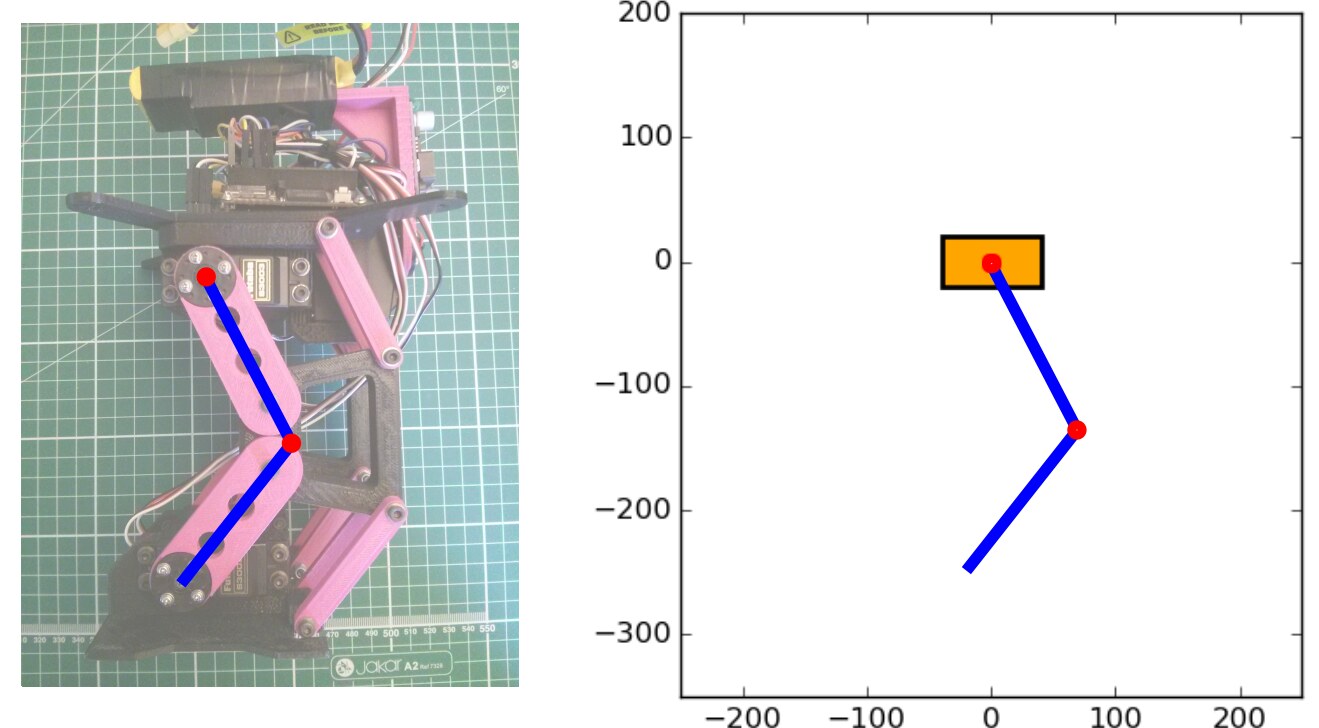
Maus has a unique mechanical feature. Due to its kinematic model, it can’t use its own body, like other bipeds do, to keep its center of gravity over the support surface. Instead, it has an extra degree of freedom that allows it to shift a mass (specifically, the battery) to reposition its center of gravity into a stable equilibrium. It works a bit like a tail.
As for electronics, Maus uses an Arietta G25 running Debian Wheezy as its main controller. It’s connected via I2C to a PCA9685 breakout board (which can control up to 16 servos) and a BNO055 IMU (a 3D gyroscope, accelerometer, and compass).
To move the robot, I used oscillators similar to those implemented in Zowi. However, instead of using Obijuan’s ArduSnake library, I developed a new implementation in Python called OctoSnake. The main difference between ArduSnake and OctoSnake is that the former is designed for Arduino, while OctoSnake is meant to be run on Linux SBCs. Also, OctoSnake doesn’t include a servo controller by itself, it relies on external peripheral controllers. In this case, it uses the PCA9685, for which I also developed a small Python library.
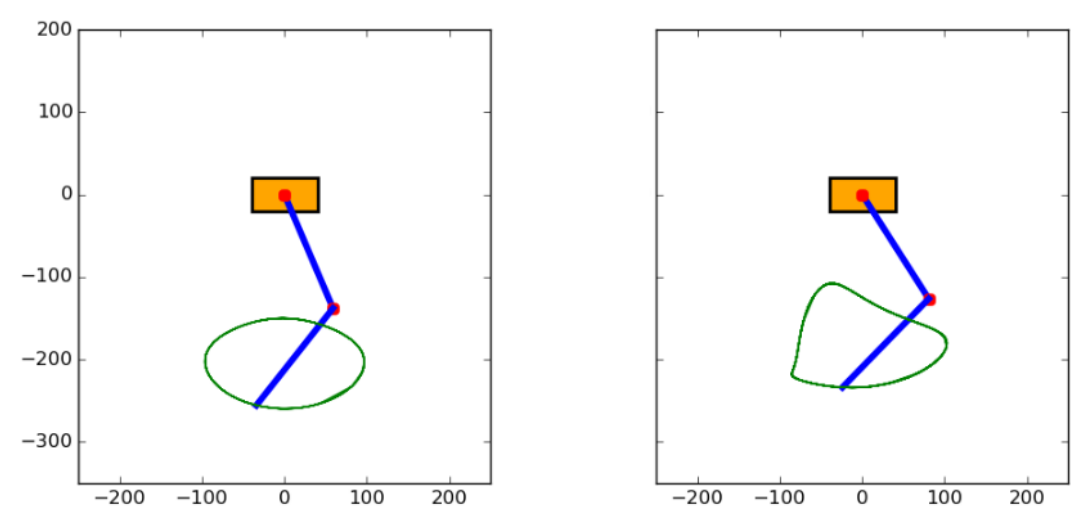
The simplest way to use oscillators is to put one on each joint. With two joints per leg, the foot follows a closed curve whose shape depends on the amplitudes and phases (left). You can also add more than one oscillator to the same joint: on the right, a third oscillator with a smaller amplitude and half the period is added to both joints, which sharpens the ends of the trajectory.
The problem is that every oscillator you add means more parameters, and the result gets less intuitive very quickly. So in Maus the leg oscillators don’t drive the joints directly. Instead, they move the foot in Cartesian space, and the inverse kinematics turns that into joint angles. A sine on the horizontal axis and a half sine on the vertical axis give the classic half-circle step: the foot lifts, moves forward and comes back along the floor, while the body stays at the same height during the stride.
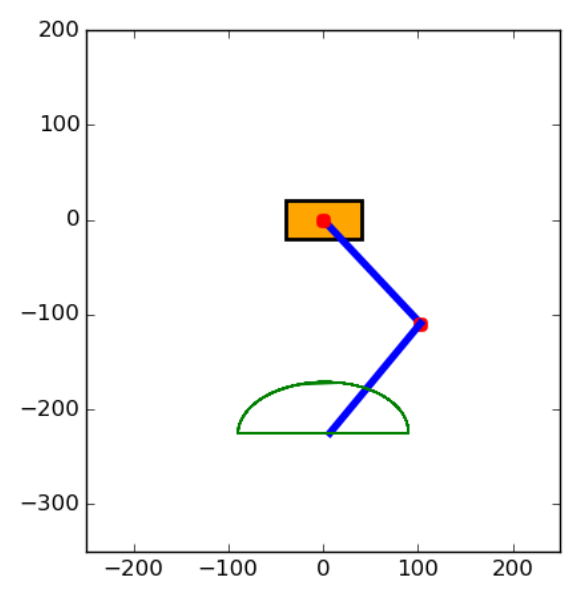
The whole walk uses five oscillators: two per foot, one vertical (1 and 2) and one horizontal (3 and 4), and a fifth one applied directly to the tail joint, which swings the battery from side to side. All of them share the same 800 ms period, and the two feet run in opposite phase, so one foot is in the air while the other one pushes the body forward.
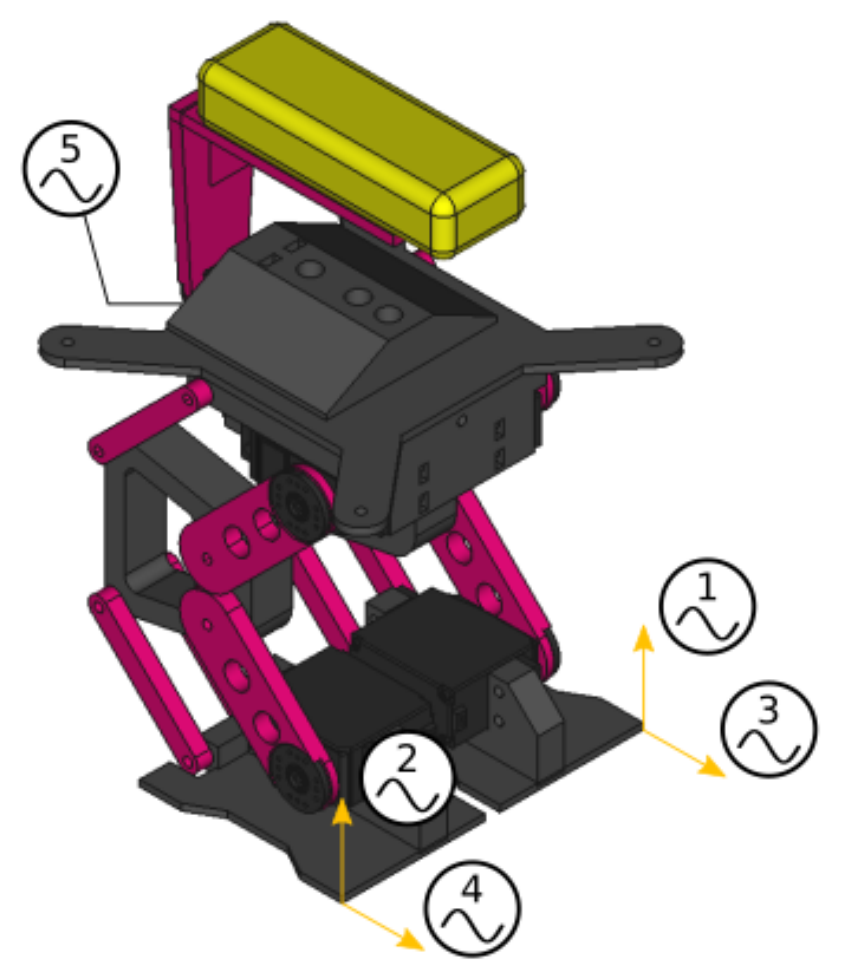
That said, Maus movements are not solely based on oscillator output, there’s an added layer of feedback from the IMU. The IMU helps adjust actuator positions in real-time during walking, allowing the robot to adapt to slight terrain disturbances. No, you can’t kick it like in those Boston Dynamics demos! But without that IMU feedback, achieving any kind of dynamic movement would be nearly impossible.
In practice, this feedback is a modulation of the oscillators: the offsets of the vertical oscillators and of the tail change in proportion to the roll angle measured by the IMU. When the robot leans to one side, the legs stretch or shrink and the battery moves to the other side, bringing the center of gravity back. To check it, I made Maus walk with and without feedback on flat ground, over small steps and on a tilted board:
| Open loop | With IMU feedback | |
|---|---|---|
| Max. roll while walking | 9.12° | 4.86° |
| Highest step | 6 mm | 9 mm |
| Steepest slope | 7.5° | > 14.5° |
The maximum roll is almost halved. On the tilted board I stopped at 14.5° because the robot started to slide down, but it never lost its balance, so with a bit more grip it could probably handle steeper slopes.
As always, all the source files, 3D parts, and code for MAUS are available on GitHub.

Comments